Case study · Web application · Frontend architecture
InsightX
A SaaS-style analytics dashboard in vanilla JavaScript: customers, products, orders, reports and charts, organised as data → services → components → pages with LocalStorage persistence.
- Role
- Solo — design and implementation
- Context
- Personal project
- Status
- Completed
- Stack
- HTML
- CSS
- JavaScript (ES modules)
- Chart.js
- LocalStorage
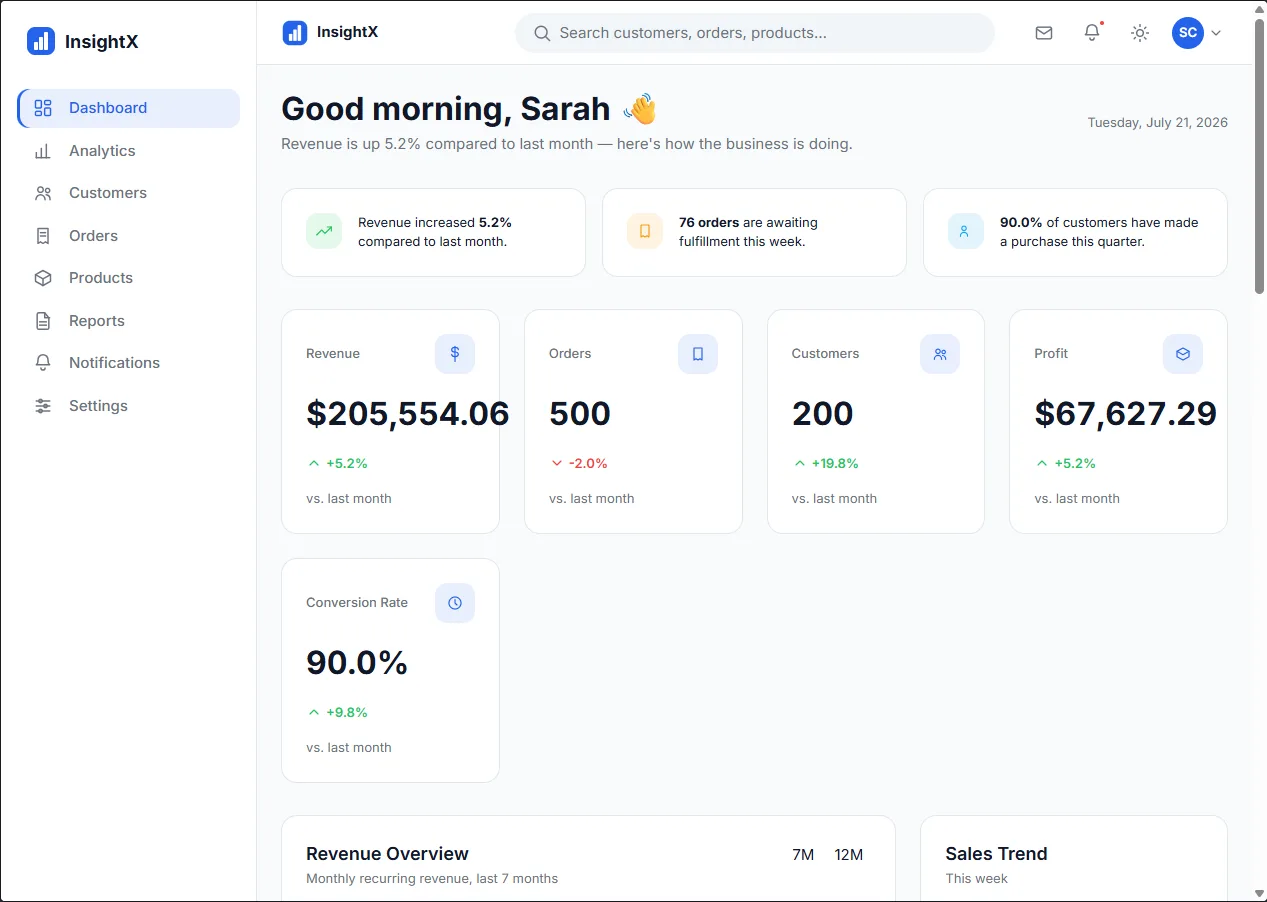
Overview
InsightX is a frontend engineering project that simulates a business analytics platform: monitoring performance, managing customers, products and orders, and presenting insights through a responsive dashboard. All figures in the screenshots are seeded sample data.
Problem & requirements
I wanted a project that went beyond a single-page demo and exercised the decisions a real frontend application needs: many connected views, persistent data, and a codebase that stays maintainable as features are added — without a framework hiding the structure.
My role
Solo project: design, architecture and implementation.
Key features
Dashboard and analytics
KPI cards, insight summaries and Chart.js charts.
Customers, products and orders
Management views with search, filtering, sorting and pagination.
Reports, notifications and settings
Supporting views that share the same component set.
Theme and accessibility
Light and dark themes, responsive layouts and accessibility-focused UI work.
Architecture
A one-directional flow keeps responsibilities separate: pages never read storage directly, and components never know which page they are on.
Data
Seed data for customers, orders, products, reports, analytics and notifications, written to storage on first load.
Services
storage.js and api.js mediate every read and write; keys are namespaced under an “insightx:” prefix.
Components
Reusable table, chart, modal, pagination, search, filter, tabs, toast, accordion and dropdown modules.
Pages
One module per route — dashboard, analytics, customers, orders, products, reports, notifications, settings, login.
Engineering decisions
Client-side only, on purpose
LocalStorage is enough to demonstrate the real architecture decisions without running a server for a portfolio piece.
Trade-off: No multi-user data, authentication or server-side validation — listed in the README as future work.
Storage that degrades instead of crashing
Storage access is wrapped in try/catch so the app keeps working when storage is unavailable (private browsing, quota limits).
Theme before everything else
The theme module loads first so the light/dark setting applies as close to page load as possible.
Screenshots
Dashboard — KPI cards over seeded sample data 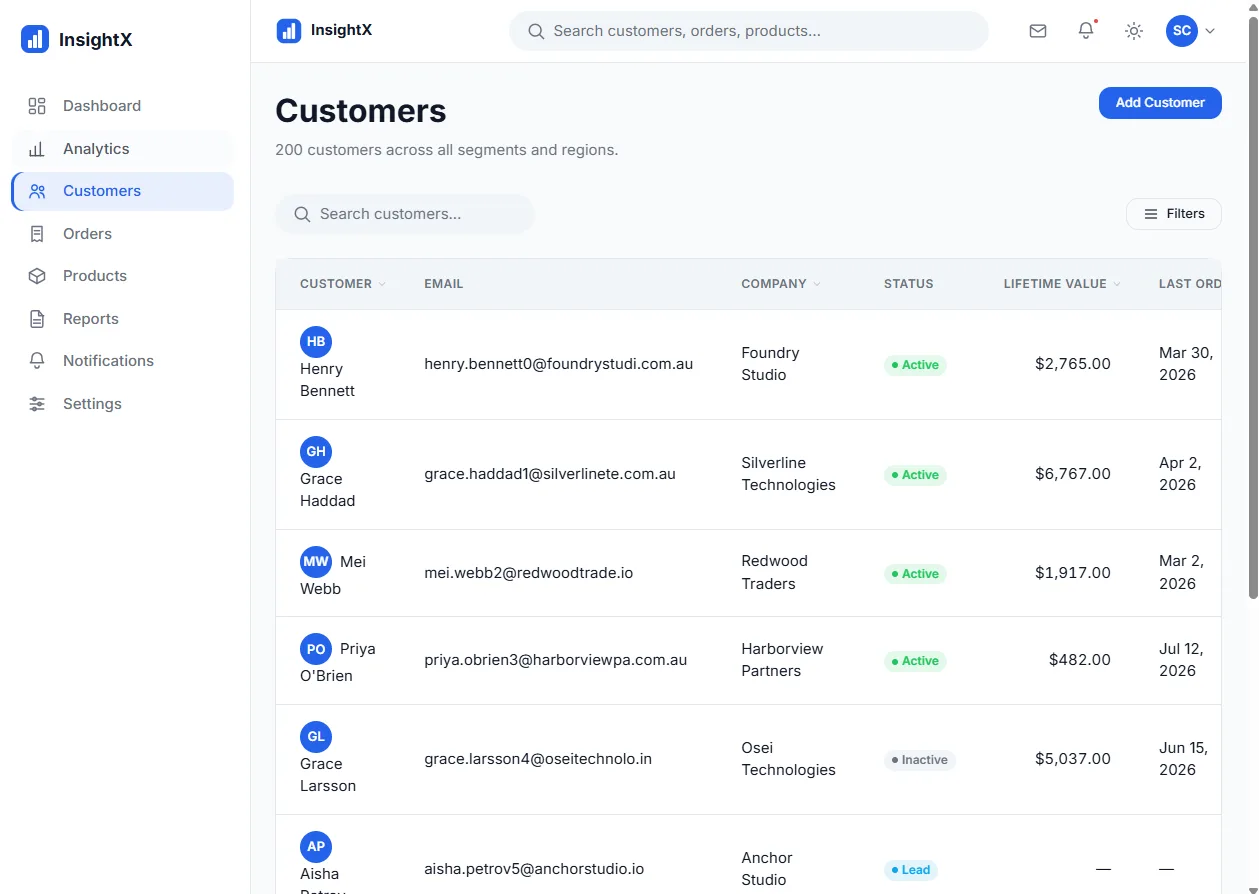
Customers — searchable, sortable table 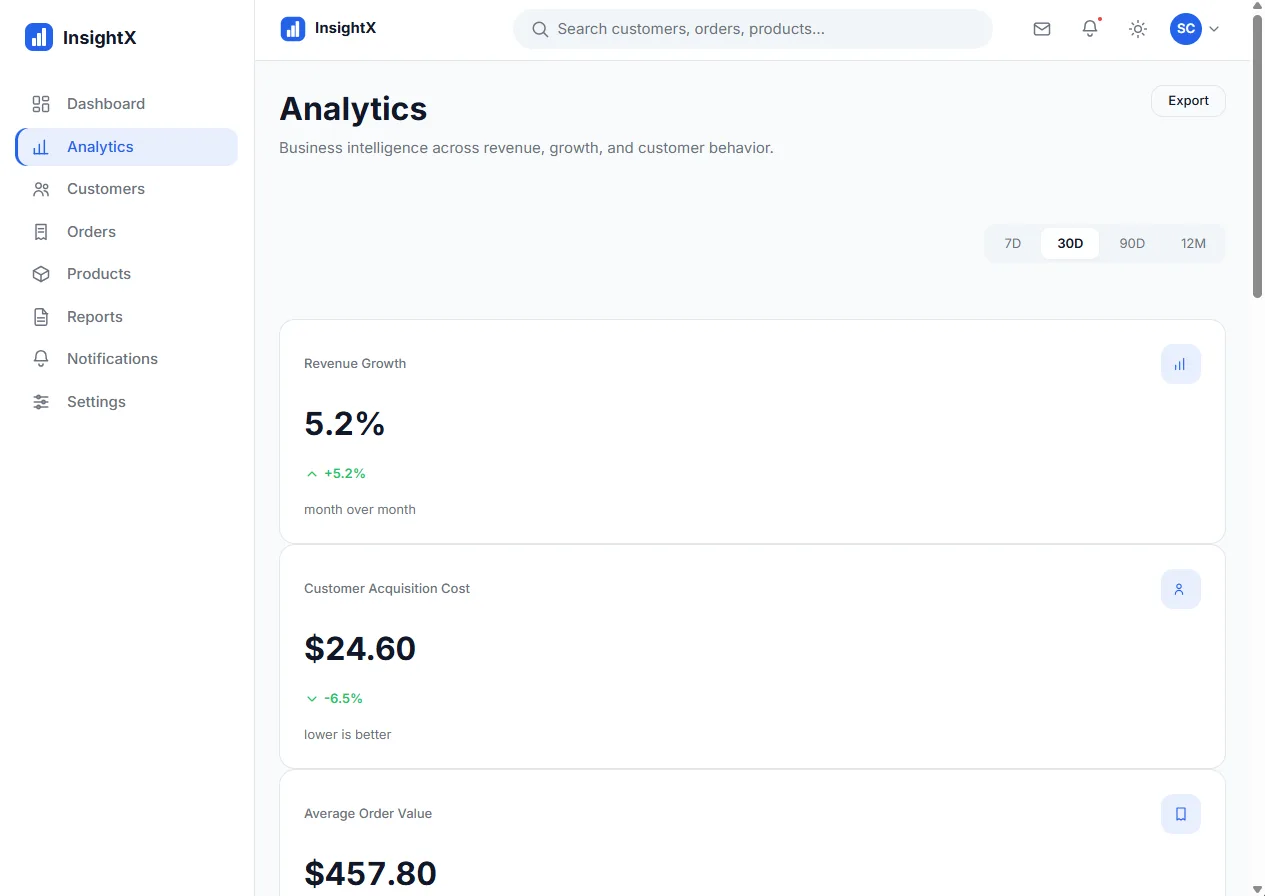
Analytics — range selector and metrics 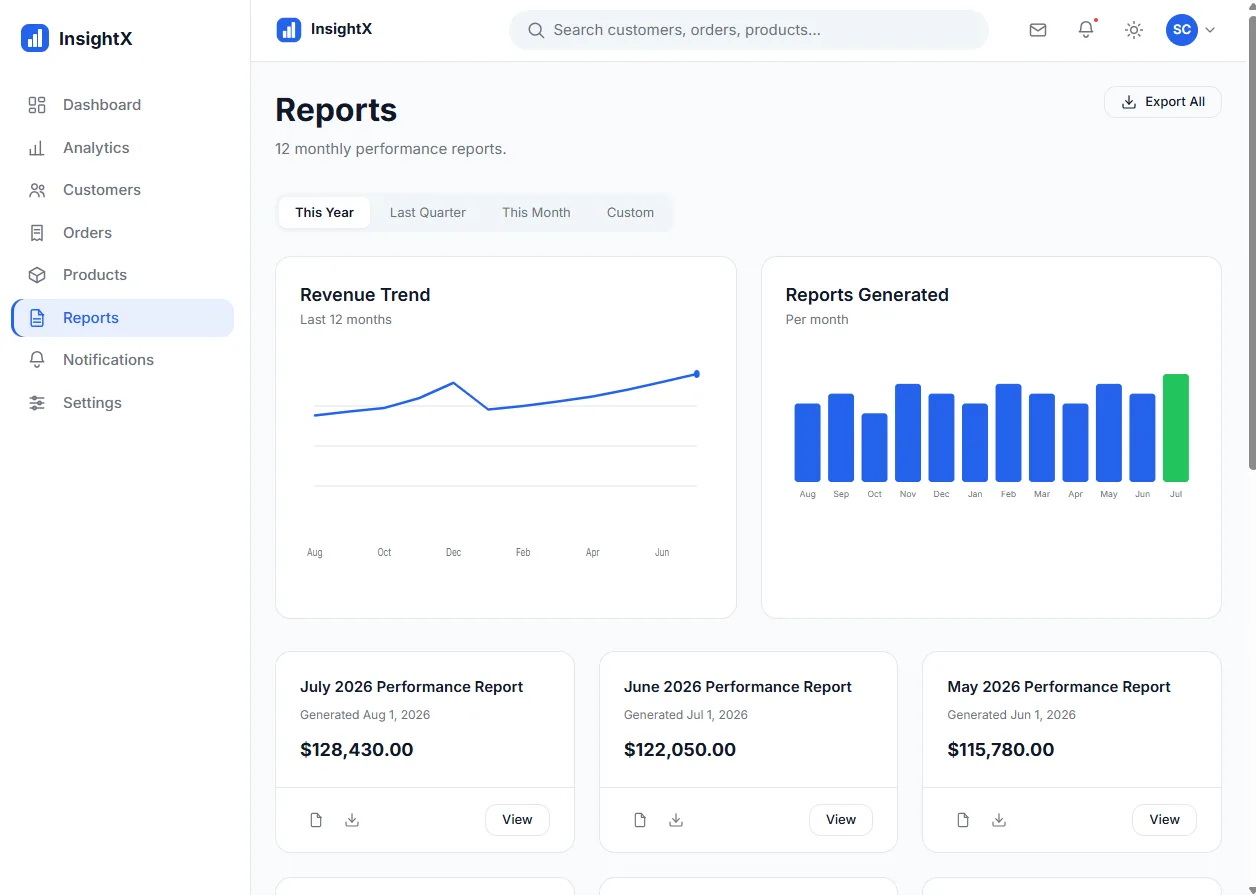
Reports
Outcome & next steps
A complete, responsive multi-page dashboard deployed on GitHub Pages, with a structure ready to sit on top of a real API.
Next steps
- Backend and REST API integration
- Authentication and role-based permissions
- A persistent database layer